Make a make-up test or a retest
A make-up swaps in matching questions from your bank for a student who missed the test. A retest gives the class the questions it missed, shuffled again.
Make-ups are Pro, with one free try on Free. Retests are free.
- 1
Open the test in the Full workspace
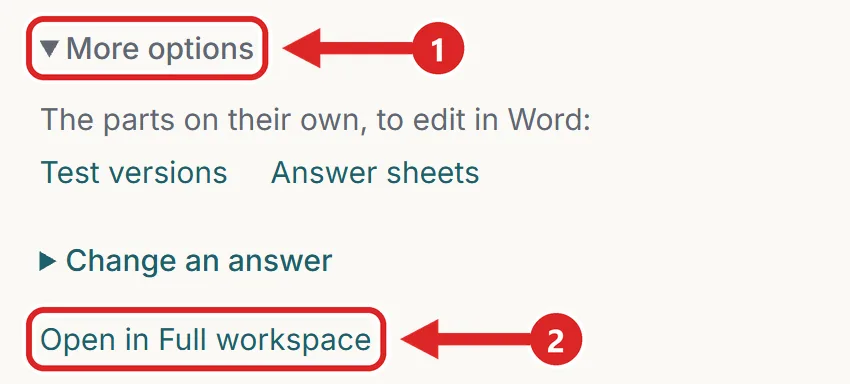
From the test in Compose, open “More options”, then “Open in Full workspace”.
- 2
Make the make-up
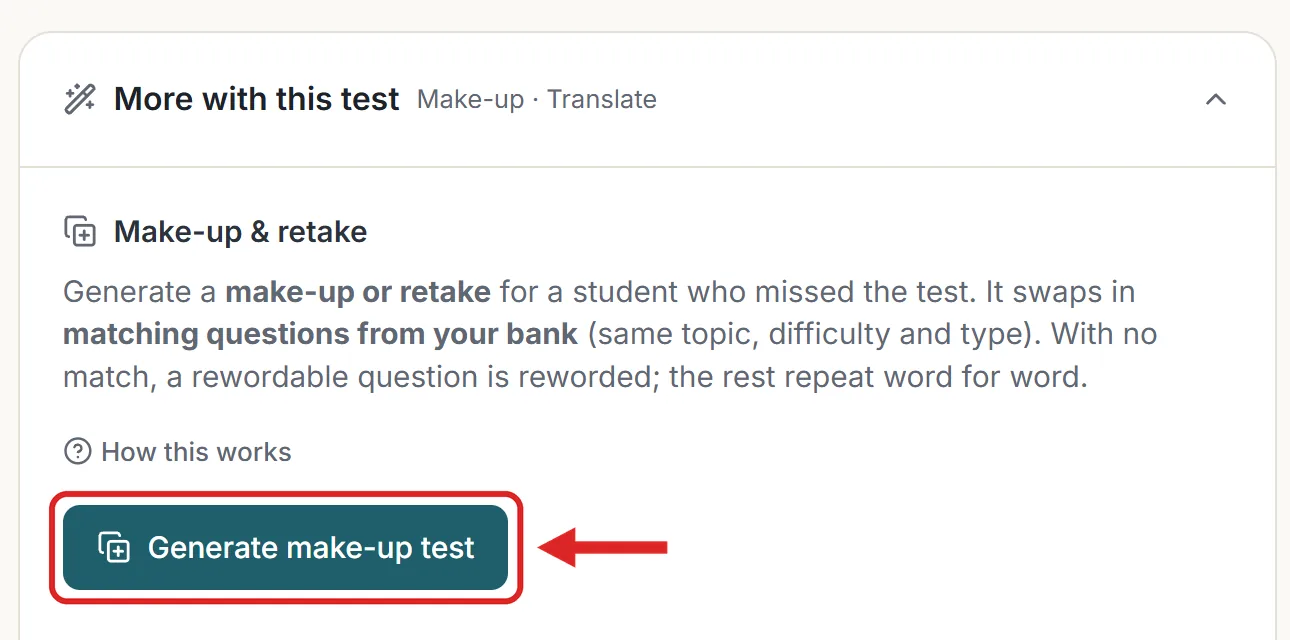
Open “More with this test”, then under “Make-up & retake” click “Generate make-up test”. Each question is swapped for one from your bank with the same topic, difficulty and type. With no match, a question that can be reworded is reworded, and the rest repeat word for word.
- 3
Check it and finalize
The make-up opens on its review page. Read it, then click “Finalize test” and download it like any test. It is listed under “Make-up & retake” with how much of it is new.
- 4
For a retest, start from the results
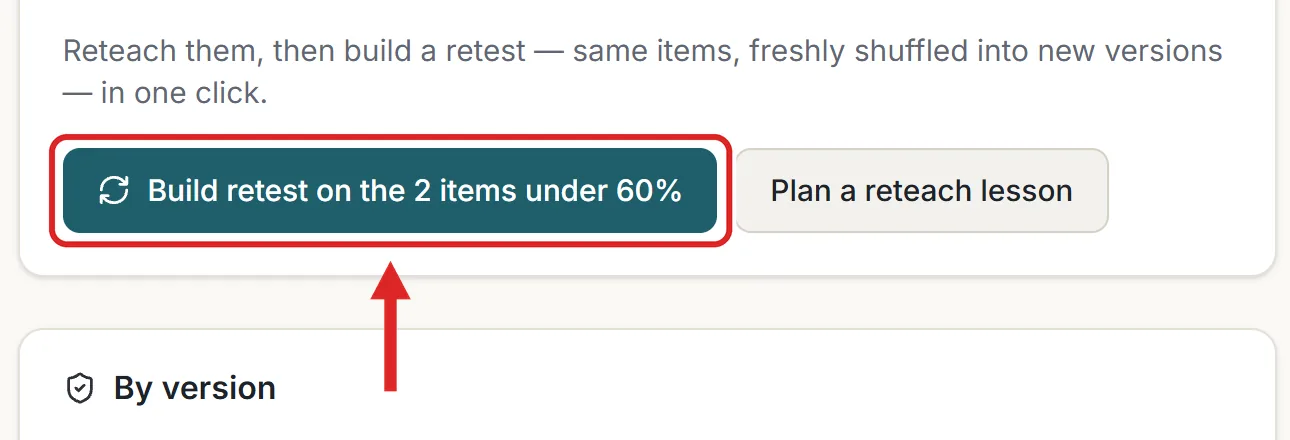
After grading, the results page lists the questions the class missed most under “Most missed”. Click “Build retest on the … items under 60%” for the same questions, freshly shuffled into new versions.
New to Compose? You’ll create a free account first, then land on “Open your tests in the Full workspace”, the screen this guide starts on.
Good to know
- The more questions your bank has on the test’s topics, the more of a make-up is new.
- A retest from results uses no rewording; it’s the questions the class missed, shuffled again.
Related guides
Checked against Compose on November 5, 2026. Something here doesn't match what you see? Tell us.