Get the answer key right
How Compose finds the right answers in your test, what it asks when it isn’t sure, and how to add or change an answer yourself.
- 1
Mark the answers in your file, any way you already do
Compose finds an answer key printed at the end of the document, a right choice that is bold, underlined, highlighted or a different color in Word, and lines like “Answer: b” in pasted text. The lines of a key at the back are kept out of your questions.
- 2
Answer what it asks
When the document didn’t say, the test page asks “Which answer is correct?”: tap the letter. It also asks when a question has two answers marked, or when your printed key and the page disagree. The versions are ready before the key; the key and the full packet download once these are in.
- 3
Give the answer you expect on written questions
For a short-answer question, type a few words under “What answer do you expect?” and click “Save this answer”. Printing doesn’t wait for it, but Compose needs it to grade written answers.
- 4
Paste or upload a separate key
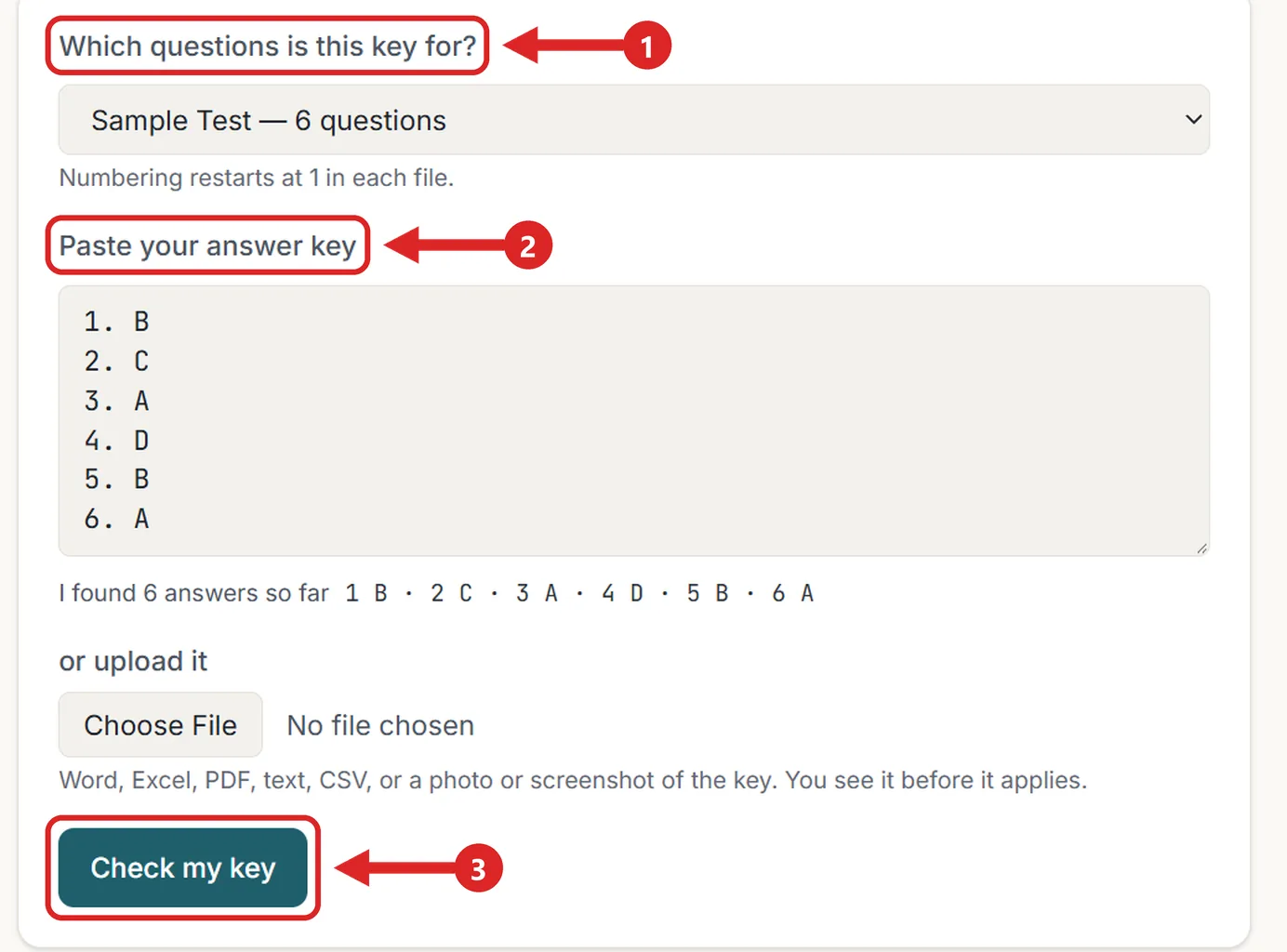
On Questions, click “Add the answer key”. Under “Which questions is this key for?”, pick the test. Paste the key (“1. B 2. C 3. A”, or all on one line) or upload it as Word, Excel, PDF, text or a photo. Click “Check my key”: nothing is saved until you look at what it read and click “Set … answers”.
- 5
Change an answer later
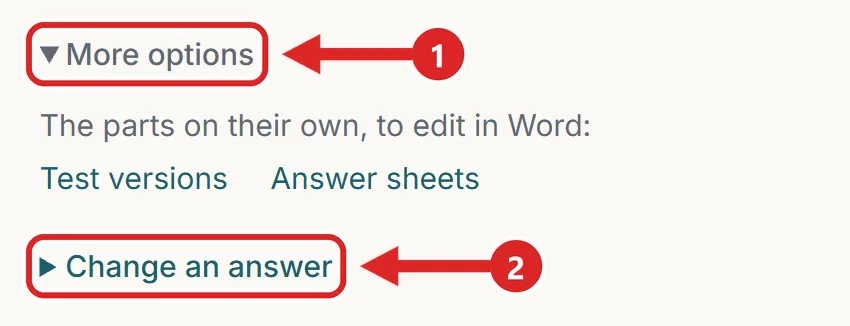
Open the test, open “More options” and choose “Change an answer”. Tapping a letter saves right away: it changes this test’s key and the same question in your bank. Once results are saved for a test, its key can no longer be changed there.
New to Compose? You’ll create a free account first, then land on “Open the answer key page”, the screen this guide starts on.
Good to know
- Compose matches a separate key to your questions by number, and numbering starts again at 1 in each file.
- Reading a key from a photo, and having Compose propose answers when there is no key, are Pro. Typing or pasting a key is free.
- Download the keys with “Download Answer Keys”: one column per version.
Related guides
Checked against Compose on November 5, 2026. Something here doesn't match what you see? Tell us.