Leave a test, or the whole day, with a substitute
The sub packet puts instructions for the substitute in front of the test copies. A sub plan drafts the whole day from what your class was covering.
Pro. On Free, each one has a free try.
- 1
For a test day: open the test’s download page
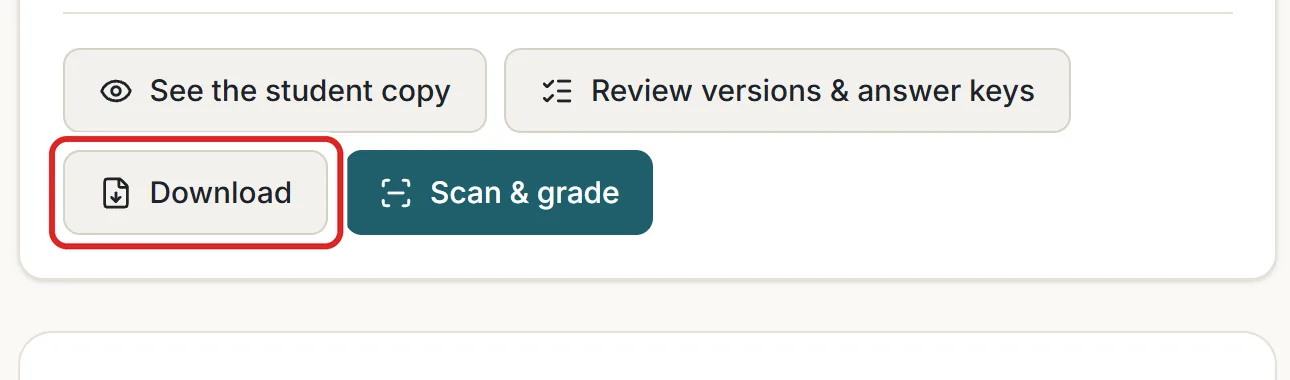
From the test in Compose, open “More options”, then “Open in Full workspace”, then click “Download”.
- 2
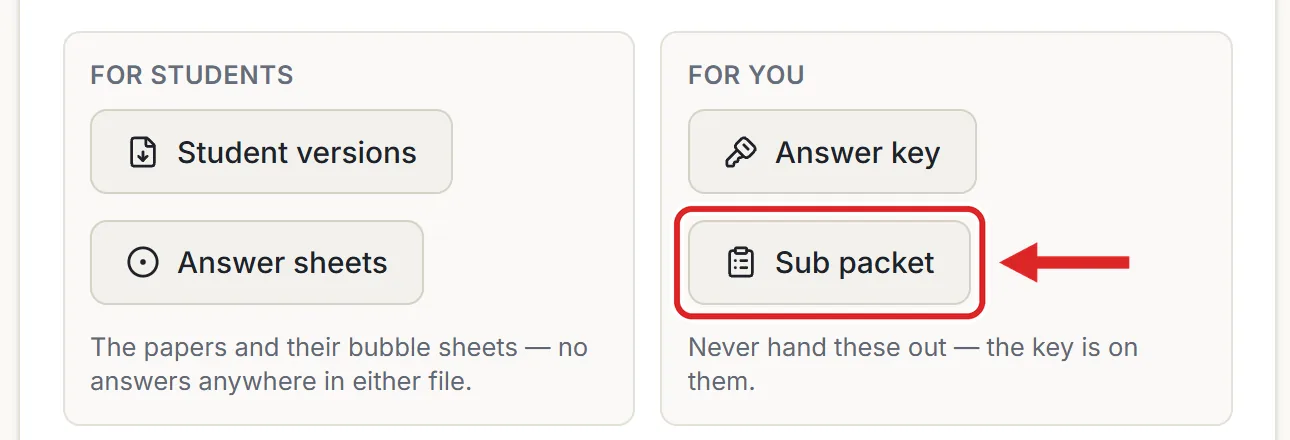
Download “Sub packet”
It opens with a page for the substitute: which versions there are and how to hand them out, numbered steps for giving the test, a line for the time allowed, collecting every paper, and space for your notes. The copies and keys follow. Keep it with you or the substitute; the key is in it.
- 3
For the whole day: draft a sub plan
In the Full workspace, open “Sub Plans” and click “Draft a sub plan”. Fill in the day you’re out, the class or period, the class length, what the class was covering, and any notes. Click “Draft my sub plan”.

- 4
Review it, then download
You read and edit the draft before anything prints. It downloads as a Word file.
New to Compose? You’ll create a free account first, then land on “Open the Full workspace”, the screen this guide starts on.
Good to know
- Pick units under “Units to draw from” and the plan sticks to material from them.
- An accommodation picked on the download page applies to the sub packet too.
Related guides
Checked against Compose on November 5, 2026. Something here doesn't match what you see? Tell us.